Again. Another track from my favorite band Estrella. I know I post some Estrella song on this blog and its probably not very fitting to listen to the songs just on your computer especially if you don’t listen to much of it,but this song “Take It Slow” really blow me. I love that smooth jazz tone and I can’t stop listening to it. :D
Estrella are due to release their third single ‘Take It Slow’ in February 2009.
I stumbled across to see these brilliant works by Romania visual artist, Nona Inescu. The images below are my favorites. Great work and very slick stuff.
There were two things which immediately captured my attention on Colorburned - a whole lot of vector freebies to download for use in your own work and some good illustrator tutorials. I have no doubt you’ll find something useful and inspiring to you on Colorburned.
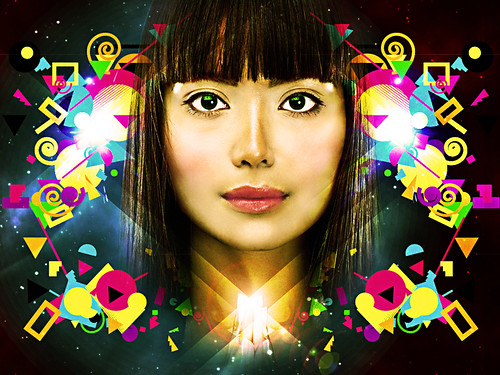
A new piece entitled "Minda". I create the random assortments of shapes in Illustrator, then I use those arrangements in Photoshop to piece together the composition.
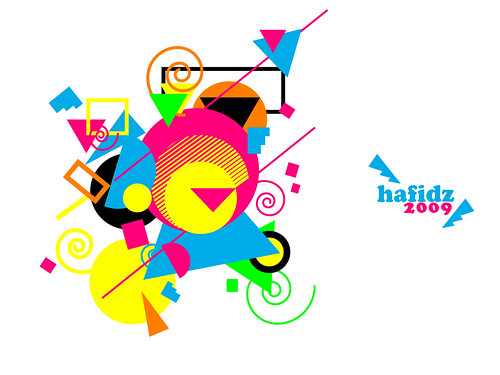
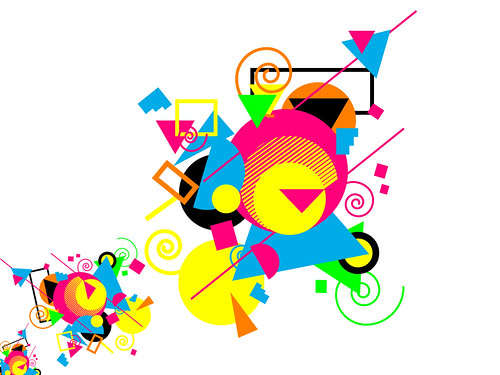
My experiment using shape arrangement and some color. The piece below is just first result and I will be working on more experiment like this in the future.
"Only On The Web": Artist Shepard Fairey's rendition of Barack Obama captured the eye thousands of Americans. Fairey talks to Bill Whitaker about politics and pop culture. Visit Shepard Fairey site HERE.
This last period I started practising with Firework. I think Firework is cool software because it has vector capabilities and in the same time I can used it to edit my picture.
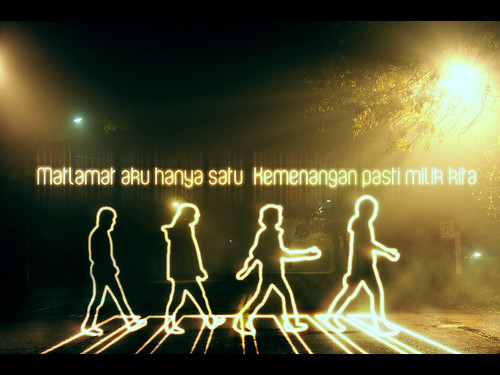
This is some of my result with Firework cs3, i just finish two tuts from my favorite blog abduzeedo since it was easy to follow.. 1. Light painting in Firework
Pixlr is a free browser based image editor application. It is built in Flash and you need to have a Flash plug in (get flash) to get it to work. I like this one because the similiarity of Pixlr toolbox with photoshop and it even has layer and some basic filter. Very nice application for non-professionals, the users that have basic editing needs!
Poster Boy is a New York City based street artist. By using a razor, Poster Boy slices up advertisements in the subway system to create completely original works of art. Due to the illegal nature of his work, Poster Boy remains anonymous.
Hello guy, i'm Amuro. Well this is my second tutorial on PA Blog. Easy way to create an eclipse wallpaper with GIMP. I use Gimp 2.6.3 for this pieces but this will work with most of version of gimp. Before we get started, let take a look at final result.
Texture : Here Ok we have all needed stuff to do this tut
1> Create new image ( i use 1024 x 768 but this depend on you) and fill it with "Black". Create new layer and select Blend tool (Gradient tool if you not familiar with Blend ~_^ )
Chose : FG to Transparent Shape : Radial And change Foreground color to White. Add a gradient to the layer and set mode to "Screen" Opacity : 40
2> Create new layer re-use Blend tool and its settings. Creat some gradient from the left corner of the image. Set layer mode : Screen" Opacity : 30
3> Create new layer with Transparency and chose "Ellipse select tool" Chose : Fixed - Aspect ration if it didn't selected and use 1:1 for the text box below it
And create a Cycle and fill it with "White" color
This is option. If you want to creat a ecllipse shape on the white cycle. You can creat on the same layer or creat new layer and creat a new eclipse on that layer in front of the white cycle shape. Depend on what you do don't forget to disable the fixed aspect ration :
5> Now you need to add a new Brush tab if you don't have one. Click on New brush button (next to the Edit brush on the left) below brush display list to open Brush Editor. Use this input to creat new brush :
Scale the brush to what size you want to creat the light raies. Set Layer mode "Overlay"
4> Creat new layer again. Fill it with "Black". Go to "Filters" menu --> Noise --> HSV Noise... Enter at Value about 200 or little more if you want. I use 200. Use filter Gaussian Blur with 2 for Horizontal and Vertical. Then set layer mode to Set layer mode to "Screen" Opacity : 40
6> Create new transparency layer and fill it with "White" (or "Black" cause we just need to fill it with Black or White ~_^). Go to "Filter" menu --> Render --> Clouds --> Difference Clouds... and put 4 for "Detail" Change layer mode to "Hard light"
7> Create new layer and fill with Black. Use Lens Flare.. filter under "Filters" menu --> Light and Shadow and put it to where the meeting point of all your light raies Set layer mode to "Multiply" Opacity : 70
8> Create new layer fill it with "Black" or "White". Re-show the Difference Clouds filter. Click at "New seed" and if the detail is not 4. the change to 4. Set layer mode to "Dodge" Opacity : 80
9> Create orther new layer and do the Difference Clouds again. Remember click "New seed". And set layer mode to "Hard light" Opacity : 30
10> Use Text tool and type "Eclipse" on the bottom left corner. Now on the layer tab. Right click and select "Alpha to Selection". Creat new transparency layer chose "Select" menu --> Border. Input 3 for make 3 pixels border. Fill selection with "White". Re select the text layer. Alpha to Selection again. Select the border text layer. Delete the white on the selection. Now set opacity of the border text layer to 50, layer mode to "Overlay".
11> Create new layer and fill it with color (I use color : "5ba0ff") set layer mode to "Overlay"
12> The final step is here. "File" menu --> Open as Layer (or use shortcut defaut keys is Ctrl + Alt + O) and open the texture file. I use "vintage_grunge_texture 2.jpg" Use filter Gaussian Blur with 10 for Horizontal and Vertical. Then set layer mode to "Overlay", Opacity 70